Vision Book a demo
Now taking pilot customers
Your cameras already see everything. Vision watches them for you.

Vision uses the security cameras you already have to show how each shift really ran, and to warn your staff while a theft is happening, not after.
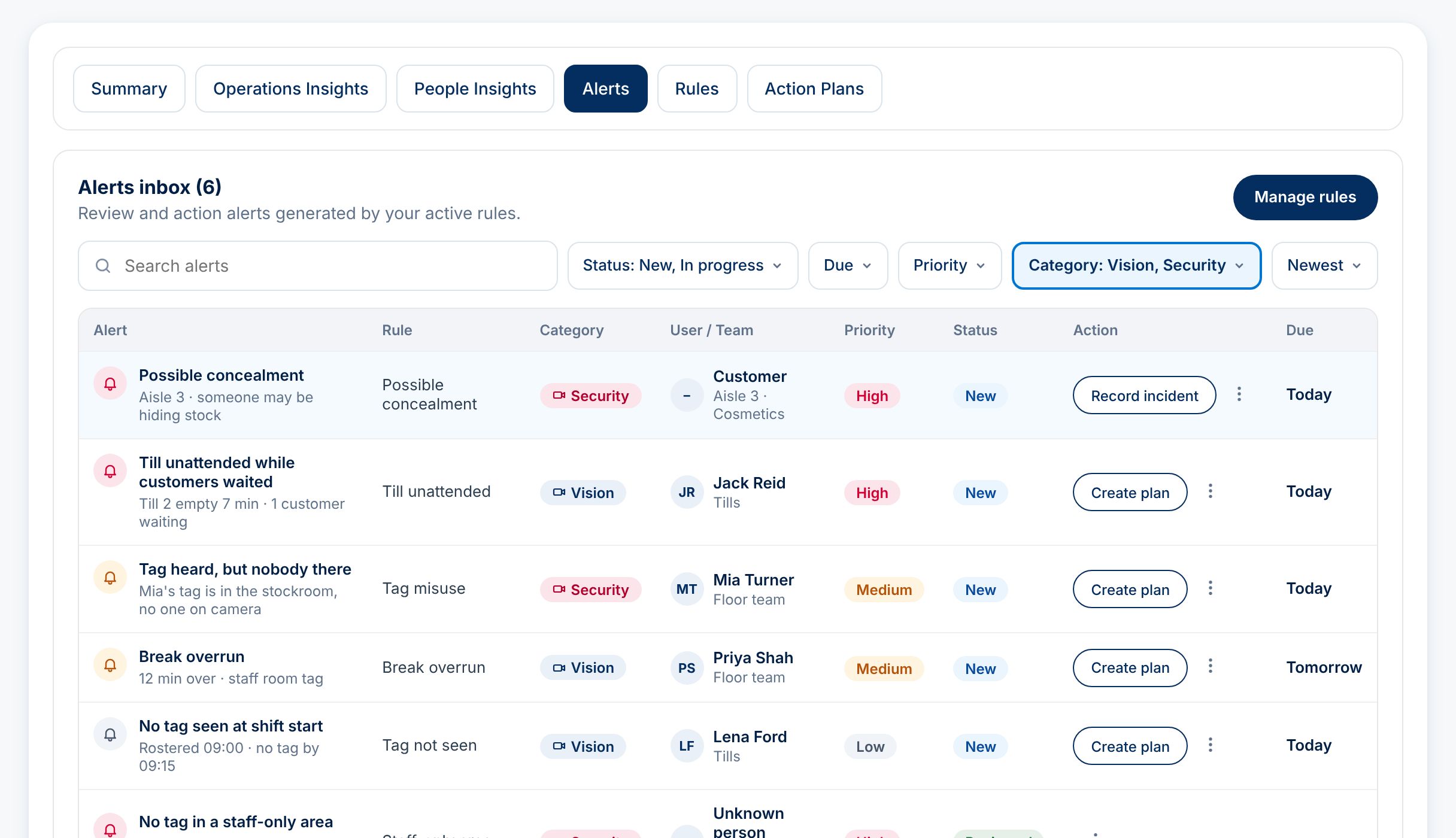
Example Elevate365 alerts list showing a possible theft in aisle 3, an unattended till and a long break, each with the staff member, priority and an action button.
What you get

Nobody has time to watch 50 screens. Now nobody has to.

See how the shift really ran

Tills left empty while customers wait, the floor with no staff on it, breaks that run long. You get a short clip and the facts, not hours of footage.

Stop theft while it's happening

When someone may be hiding stock, your supervisor's phone buzzes within seconds, so a staff member can walk over and offer help.

No face recognition

Staff wear a small Bluetooth tag on their name badge. That's how Vision knows who is who. Customers are never identified.

How it works

Four steps, using the cameras you already own

1

Connect your cameras

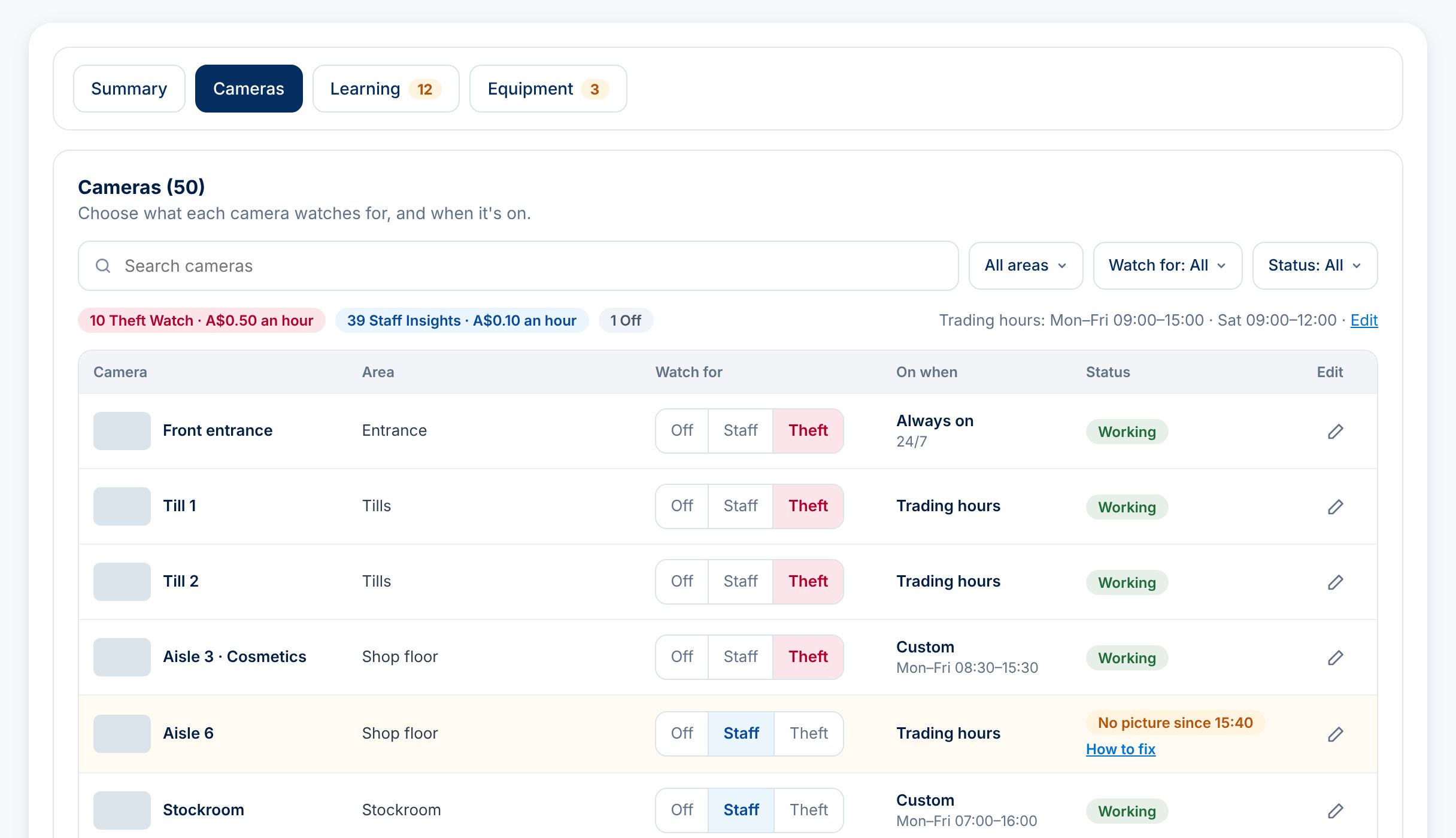
Vision works with the recorder you have now, including Swann, Hikvision and Dahua. A small connector box plugs in next to it. You choose what each camera watches for, and when it's switched on.

Example camera list where each camera is set to Off, Staff or Theft, with the hours it is switched on.
2

Give your staff a tag

Each person gets a tag the size of a credit card that slips behind their name badge. No app, no login, nothing to charge. Batteries last a year or more.

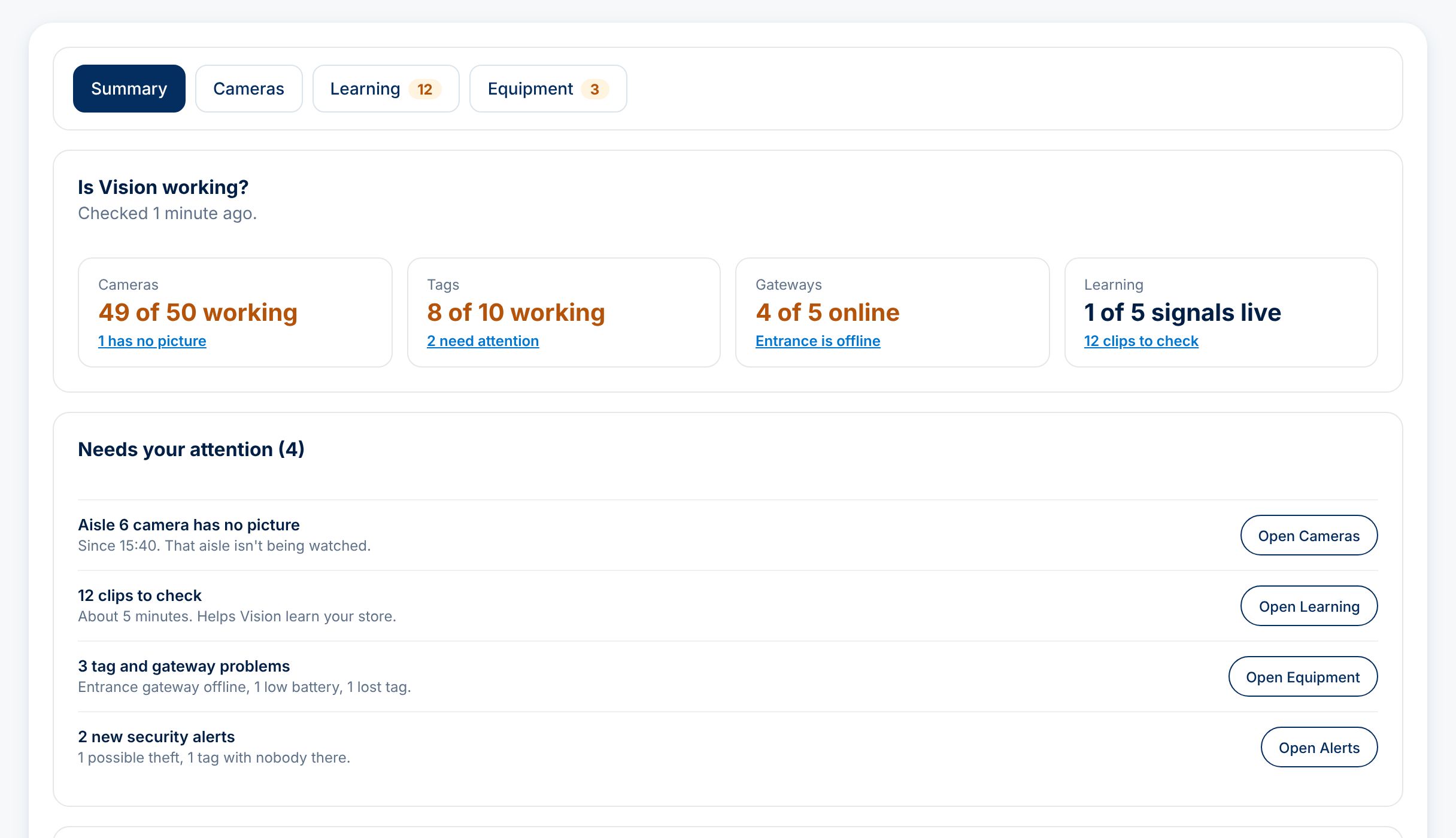
Example Vision summary showing cameras, tags and gateways working, and what was found this week.
3

Vision learns your store

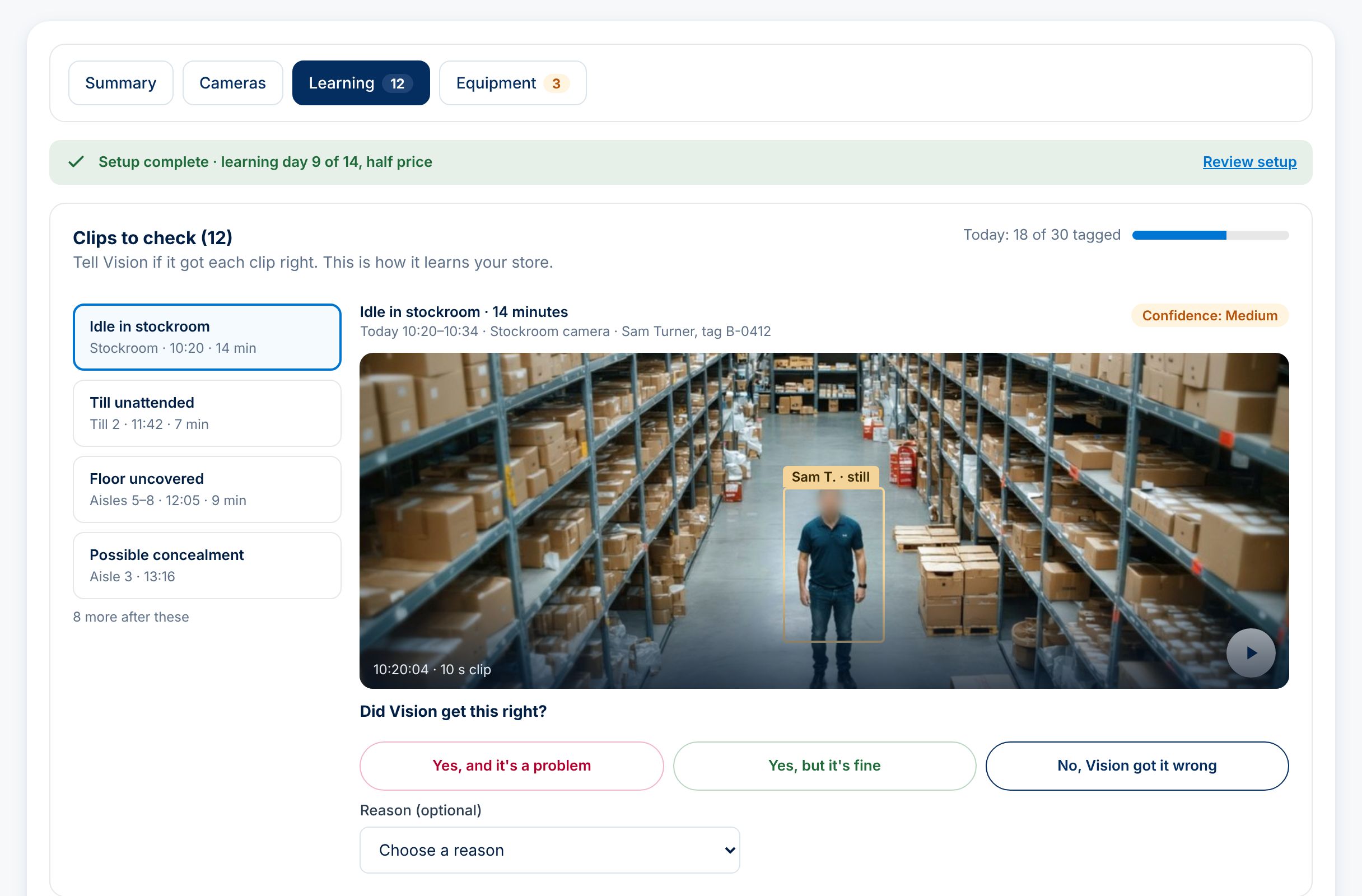
For the first two weeks, a manager spends about five minutes a day watching short clips and answering one question: did Vision get this right? An alert only goes live once it's right nine times out of ten.

Example learning screen with a camera clip of a staff member standing still in a stockroom and three buttons: yes and it's a problem, yes but it's fine, and no, Vision got it wrong.
4

Act on what matters

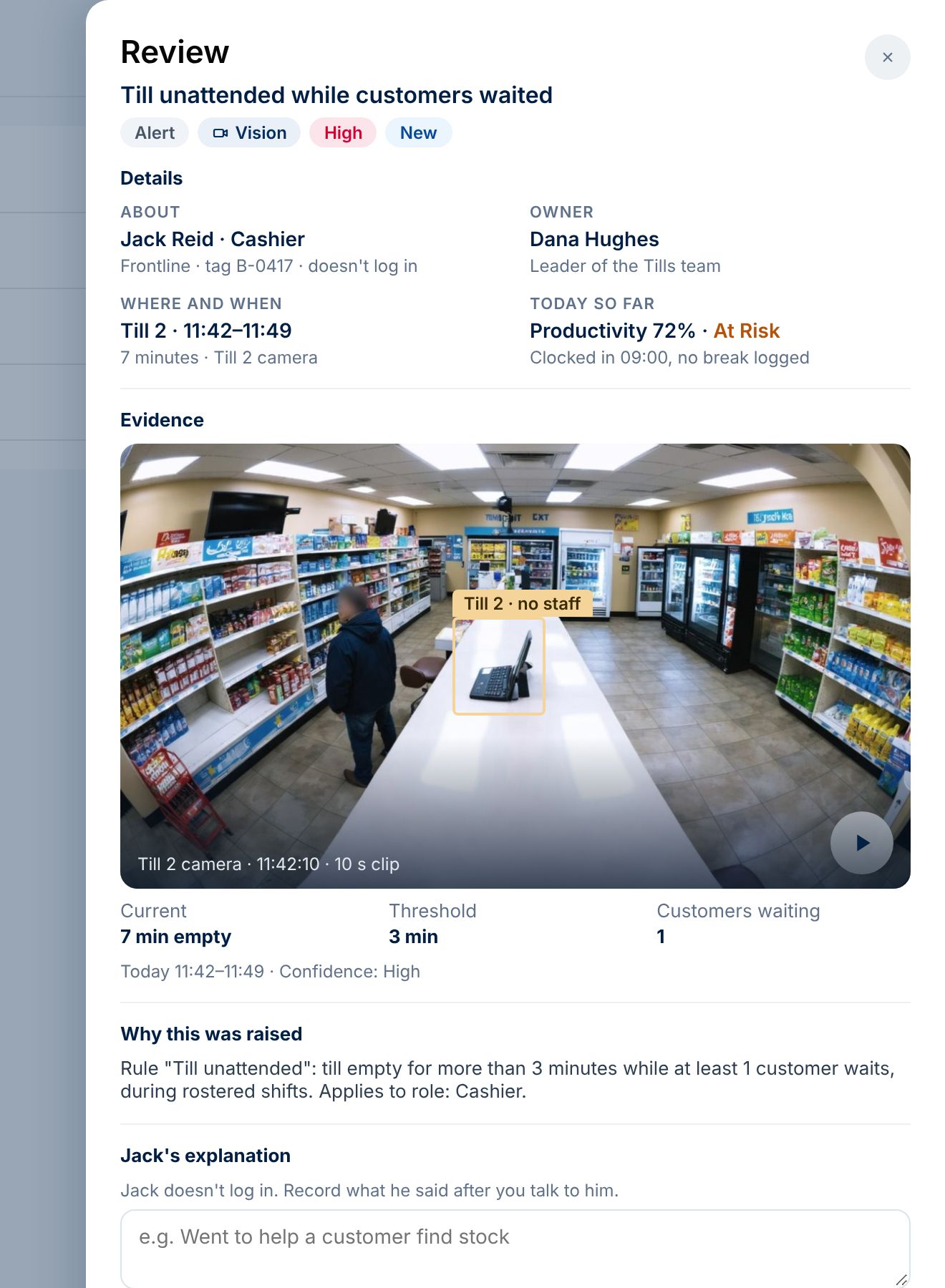
Each alert comes with the clip, who was involved, and what the rule was. Your manager talks to the person, records what they said, and can turn it into an action plan with a due date.

Example alert review showing a camera clip of an empty till with a customer waiting, the staff member, the evidence and buttons to create an action plan.

Screens show an example store. Names and figures are made up, and the camera pictures are computer-generated, not real footage.

Fair to your team

Built so staff can trust it

Pricing

Pay for the cameras that matter, only while they're on

Most stores switch on the tills, the entrance and the high-value shelves, and leave the car park off.

WhatForPrice (AUD, plus GST)
Theft WatchLive videoTills, entrances and high-value shelves. Phone alerts within seconds.$0.50per camera, per hour it's on
Staff InsightsA photo every 5 secondsShop floor, stockroom and work areas. Feeds your staff reports.$0.10per camera, per hour it's on
Frontline staffAnyone who wears a tag and never logs in.$3per person, per month
ManagersAnyone who logs in to review alerts and reports.$28per person, per month
Half price while it learns. Cameras are half price for the first 14 days.
Switch cameras off any time. A camera that's off costs nothing.
One-off hardware. A connector box, tags and wall gateways. We'll quote these for your site.

Try it on the cameras that matter most

We're setting up a small number of pilot sites. A pilot runs for 30 days on 10 to 15 of your cameras, and we do the setup with you.

  1. We look at your camera list together and pick the cameras.
  2. We send the connector box and tags.
  3. Two weeks of learning, then two weeks live.